 Productivity
 Chatter Toggle: Hide or Show the Chatter with One Click
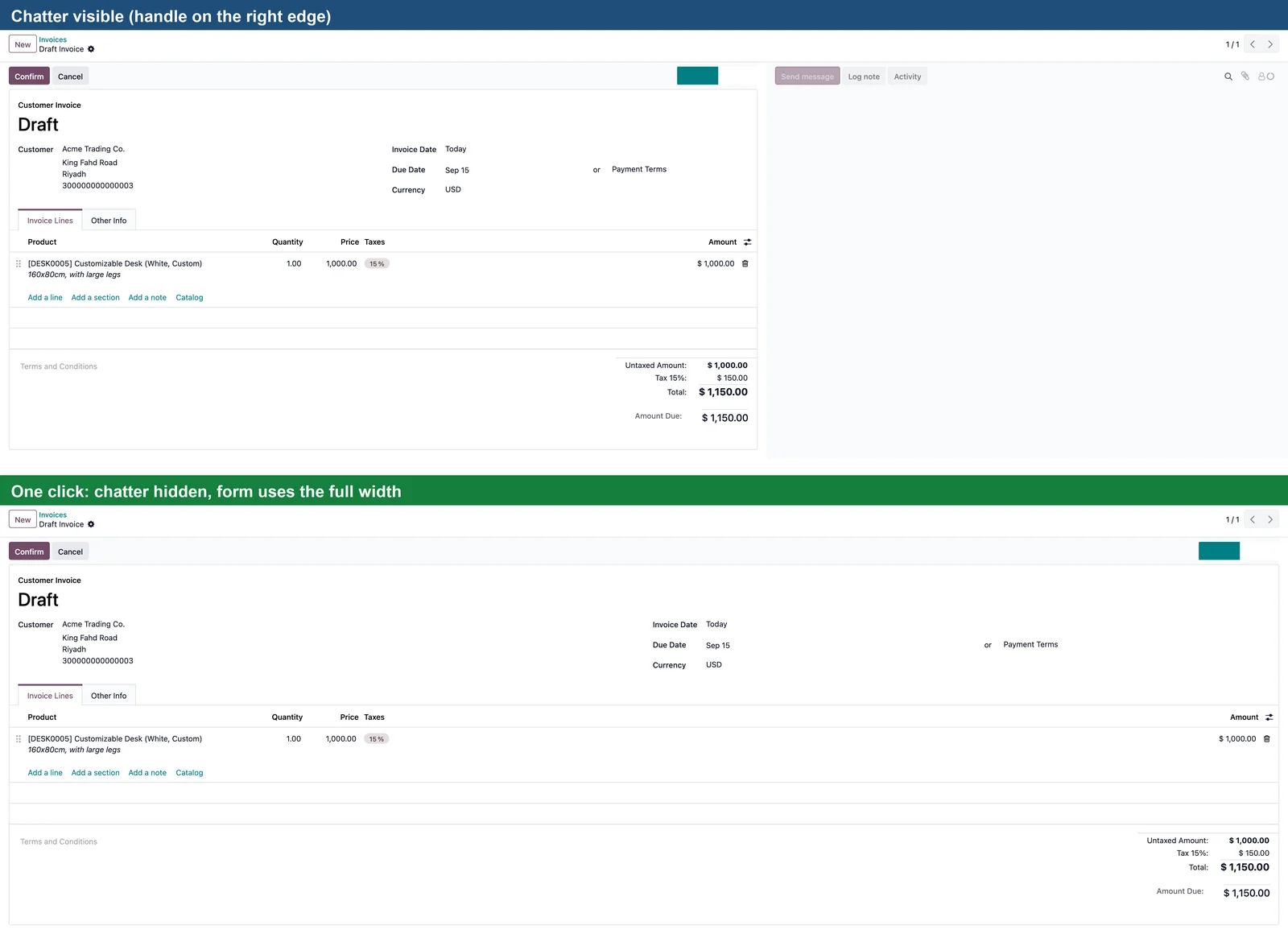
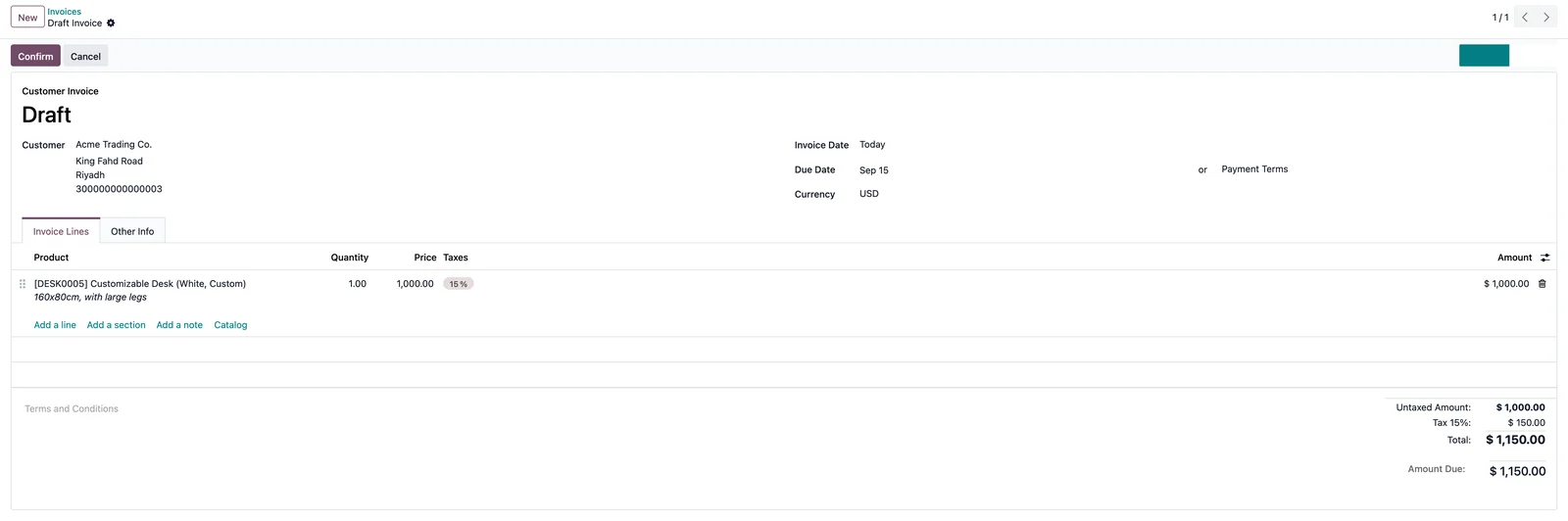
A small handle on the edge of the screen hides the chatter column and gives the form the full width. Click again, or press Alt+Shift+C, to bring it back. Your choice is remembered.
Odoo 19 app by Mina Adel, software engineer and Odoo developer
The problem
On laptops and on wide forms (invoices, sales orders, projects) the chatter column takes a third of the screen even when you only need the fields.
The solution
One click on the handle hides the chatter and stretches the form sheet to the full width. The state is kept in the browser, so it stays hidden while you work and comes back when you want it.
What you get
-
One-click handle
A discreet dark handle on the trailing edge of every form view; the arrow shows the current state.
-
Remembered
Stored per browser: survives reloads, navigation between records and models.
-
Keyboard shortcut
Alt+Shift+C toggles the chatter without reaching for the mouse.
-
Full-width forms
The form sheet loses its max-width while the chatter is hidden.
-
Right-to-left
The handle sits on the left edge and the arrows flip in RTL languages.
-
Non-intrusive
Only hides the chatter column with a CSS class; messages, notes and attachments stay untouched.
Use it in three steps
- Open any record with a chatter (contact, invoice, task).
- Click the handle on the right edge or press Alt+Shift+C: the chatter disappears and the form widens.
- Click again to show it. The choice is kept until you change it.
Screenshots
Questions
Is the chatter removed?
No, only hidden with a CSS class. Messages, activities and attachments are untouched and reappear on the next click.
Is the setting per user?
Per browser profile. Each user on their own machine keeps their own preference; there is nothing to configure on the server.
Does it work with custom modules?
Yes, with any form view that renders the standard chatter component.
Support
Questions before buying, a bug, or an idea for the next version? Email me — bug fixes for Odoo 19.0 are included.
More Odoo apps
All apps $29
$29 Productivity / Sign
Sign: One-click Company Stamp
Company stamp field for Odoo Sign; authorized users stamp documents with one click, without the Odoo Sign frame
Odoo 19.0 · Enterprise View on Odoo Apps Store $5
$5 Productivity
App Menu Badges: Unread Messages & Activities
Per-user red badges on the apps home menu for unread messages and pending activities
Odoo 19.0 · Community & Enterprise View on Odoo Apps Store $1
$1 Accounting
General Ledger: Opening, Period Total & Closing per Account
Initial balance, period movements, period total and closing balance under every account
Odoo 19.0 · Enterprise View on Odoo Apps Store