 Accounting
 General Ledger: Opening, Period Total & Closing per Account
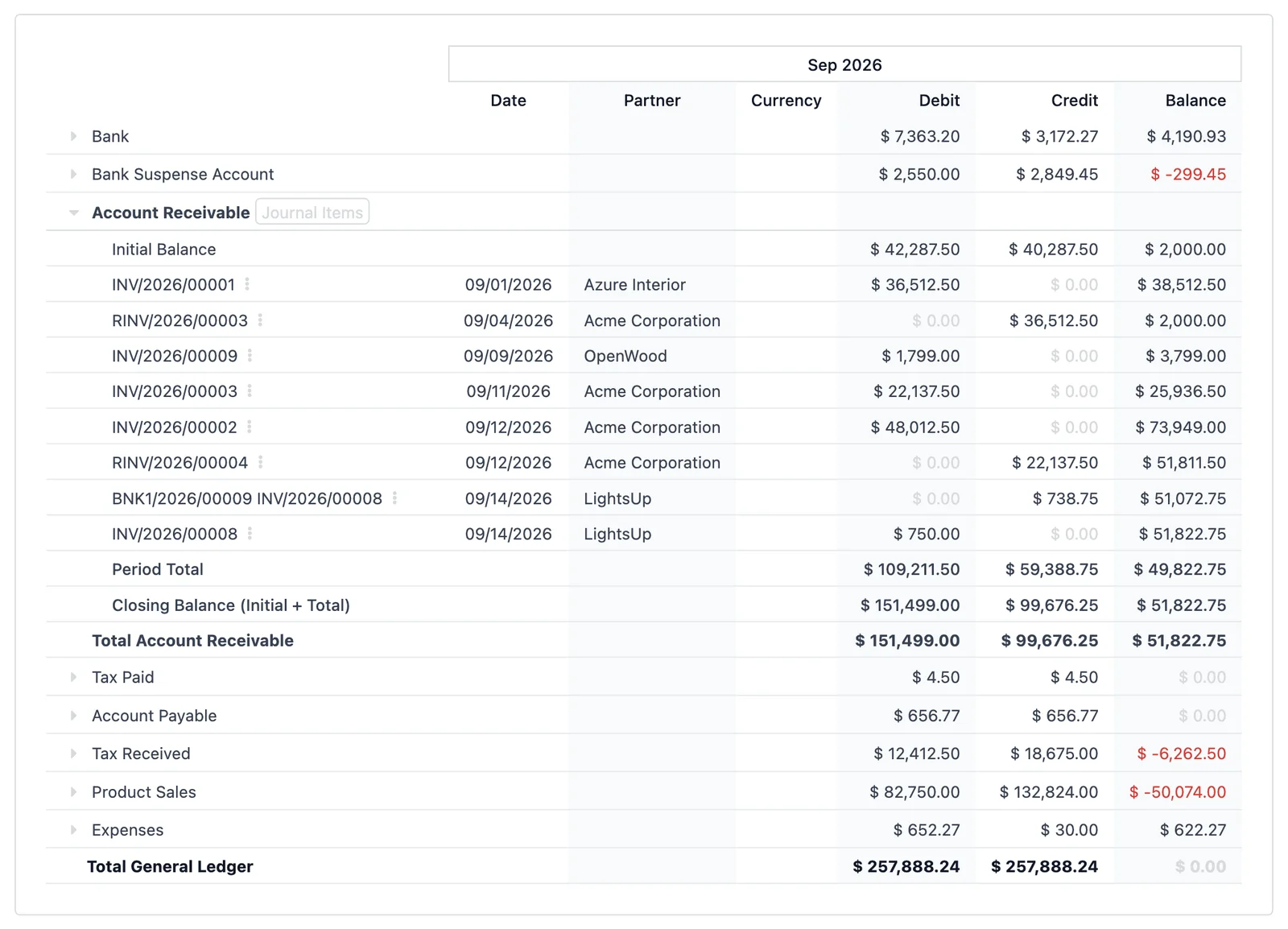
Turn the standard Odoo General Ledger into a month-to-month reconciliation statement. Every account reads Initial Balance → Movements → Period Total → Closing Balance, and the closing of one period is exactly the opening of the next.
Odoo 19 app by Mina Adel, software engineer and Odoo developer
The problem
The standard General Ledger shows an Initial Balance row and the journal items, but the cumulative totals are only on the account header. Accountants who reconcile month by month have to compute the period total and the closing balance by hand, then compare them with next month's opening.
The solution
This app adds two rows under every account: the Period Total (debit, credit, balance of the period) and the Closing Balance = Initial + Total. Closing debit, credit and balance of period N are, by construction, the Initial Balance of period N+1.
What you get
-
Four-stage account statement
Initial Balance, journal items with running balance, Period Total, Closing Balance. Debit, credit and balance for each stage.
-
Period continuity
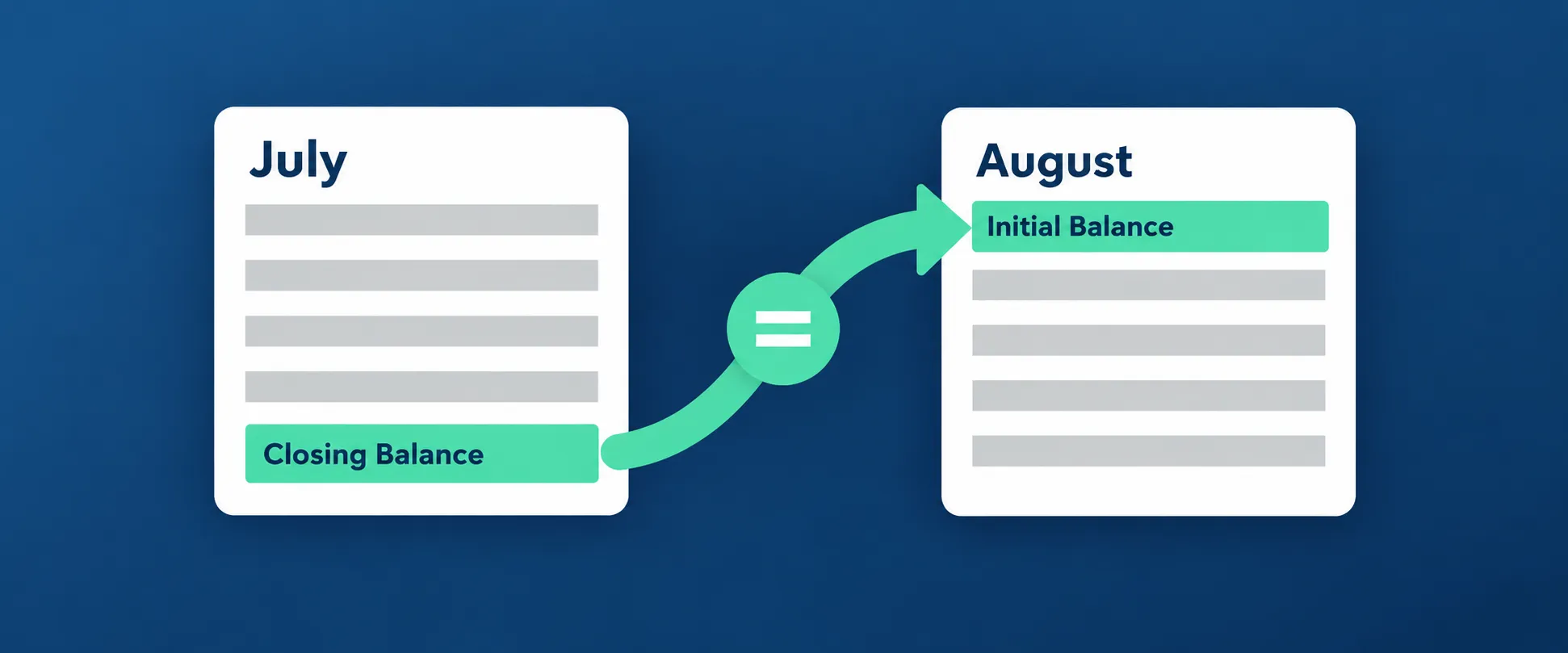
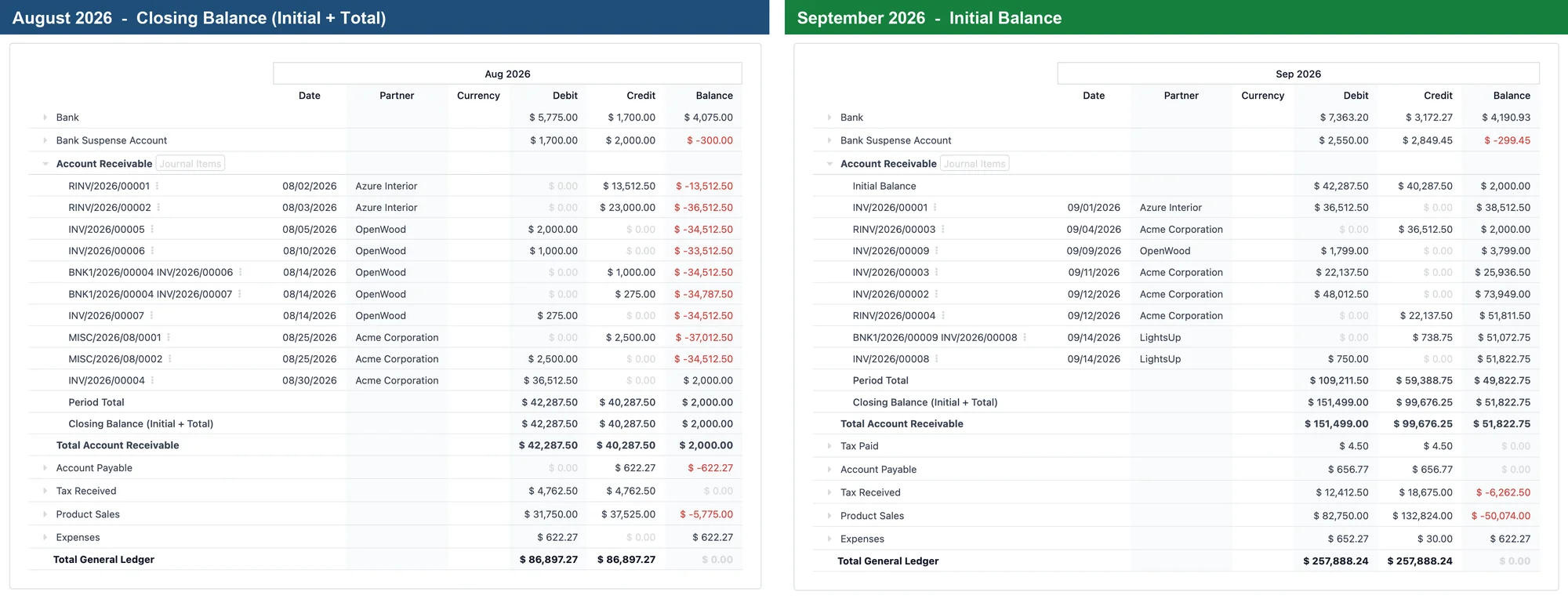
Closing of July = Initial Balance of August, for debit, credit and balance. Balance-sheet accounts accumulate from the first entry, P&L accounts from the fiscal year start, exactly like Odoo.
-
Screen, PDF and XLSX
The rows are real report lines, so they appear in the browser, in the printed PDF and in the Excel export.
-
Respects every filter
Journals, posted/draft entries, partners, analytic accounts, comparison columns, "load more" pages: the totals follow whatever the report shows.
-
Arabic included
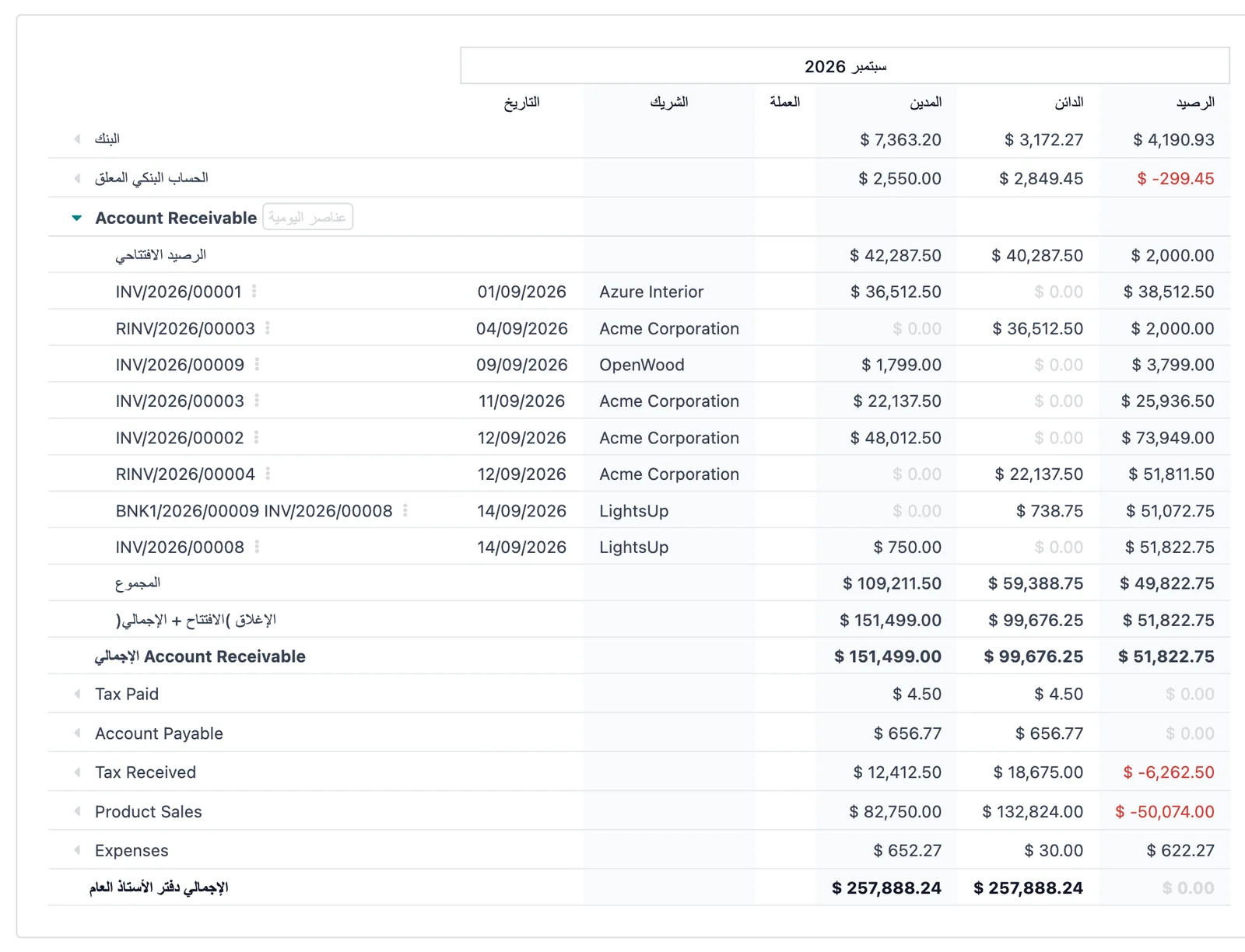
Row labels are translated: المجموع and الإغلاق (الافتتاح + الإجمالي). Right-to-left layout is handled by Odoo.
-
Install and forget
No settings, no new menus, no extra SQL queries. It extends the standard report handler; uninstalling restores the original report.
Reconcile a month in three steps
- Open Accounting → Reporting → General Ledger and choose the month (for example 01/07 – 31/07).
- Unfold an account (or use Unfold All). Read its Closing Balance (Initial + Total) row.
- Switch the period to the next month (01/08 – 31/08). The Initial Balance row of the same account shows the very same debit, credit and balance.
Screenshots
Questions
Does it replace the standard General Ledger?
No. It extends the standard report handler and only appends two rows under each account. Everything else, including the existing "Initial Balance" row, stays untouched.
Which edition do I need?
Odoo 19.0 Enterprise (it depends on account_reports). Works on Odoo Online, Odoo.sh and on-premise.
What about profit and loss accounts?
They follow Odoo's rule: the initial balance accumulates from the start of the fiscal year, so the closing of the last month of a fiscal year is not carried into the first month of the next one. Balance-sheet accounts accumulate from the very first entry.
I have "Totals below sections" enabled. What changes?
Odoo keeps adding its own "Total <account>" row after the new rows; its figures equal the Closing Balance row.
Does it slow down the report?
No. The sums are computed from the lines Odoo already loaded; no additional database query is executed.
Support
Questions before buying, a bug, or an idea for the next version? Email me — bug fixes for Odoo 19.0 are included.
More Odoo apps
All apps $15
$15 Accounting / Localizations / EDI
ZATCA: Validate Customer Data Before Posting
Block posting a ZATCA e-invoice for a company customer whose address, VAT or identification data is missing or malformed
Odoo 19.0 · Enterprise View on Odoo Apps Store $29
$29 Productivity / Sign
Sign: One-click Company Stamp
Company stamp field for Odoo Sign; authorized users stamp documents with one click, without the Odoo Sign frame
Odoo 19.0 · Enterprise View on Odoo Apps Store $19
$19 Inventory
Restrict Users to Warehouses (Inventory & Sales)
Allowed warehouses per user; restricted users only see and validate transfers, moves, quantities and sales orders of those warehouses
Odoo 19.0 · Community & Enterprise View on Odoo Apps Store