 Accounting / Localizations / EDI
 ZATCA: Validate Customer Data Before Posting
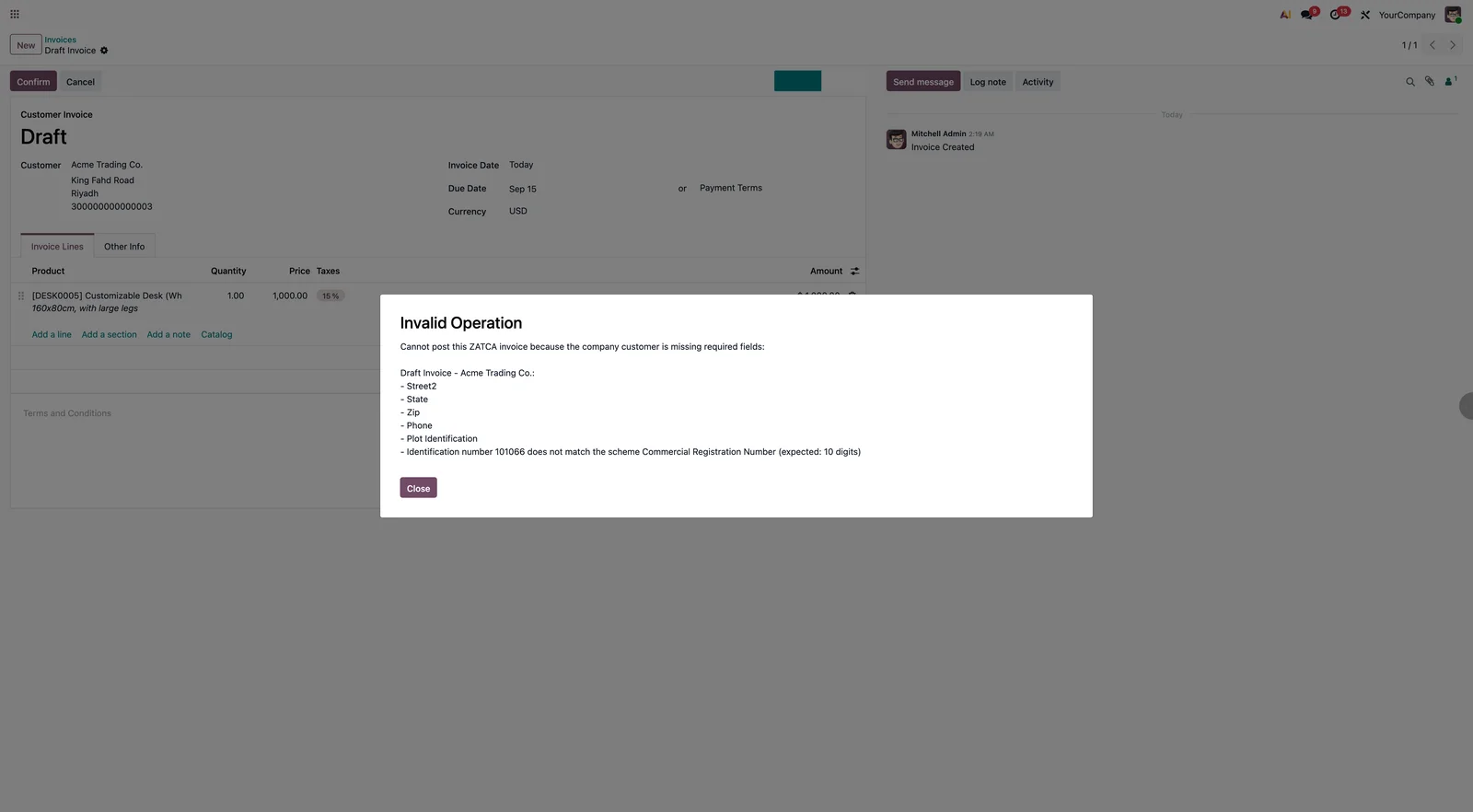
Stop ZATCA rejections before they happen. When you confirm a customer invoice for a company on a ZATCA journal, the customer's address, VAT and identification are checked first and the posting is blocked with a precise list of what to fix.
Odoo 19 app by Mina Adel, software engineer and Odoo developer
The problem
Odoo's ZATCA integration only learns that the buyer data is incomplete after the invoice is posted and submitted. A rejection then costs a credit note, a new invoice and a second submission.
The solution
The check runs on Confirm: required address fields, VAT, plot identification, and an identification number that matches its scheme (TIN, CRN, 700, National ID, Iqama). The user fixes the contact and confirms again.
What you get
-
Required fields
Name, street, street 2, city, state, ZIP, phone, VAT, plot identification, identification scheme and number.
-
Scheme formats
TIN 15 digits (3…3), CRN 10 digits, 700 number 7+9, National ID 1+9, Iqama 2+9. Schemes without a fixed format are accepted.
-
Only where it matters
Customer invoices and credit notes, company customers, journals with a production ZATCA certificate. Individuals are untouched.
-
Batch confirmation
Confirming several invoices reports every failing one at once, grouped by invoice and customer.
-
Arabic messages
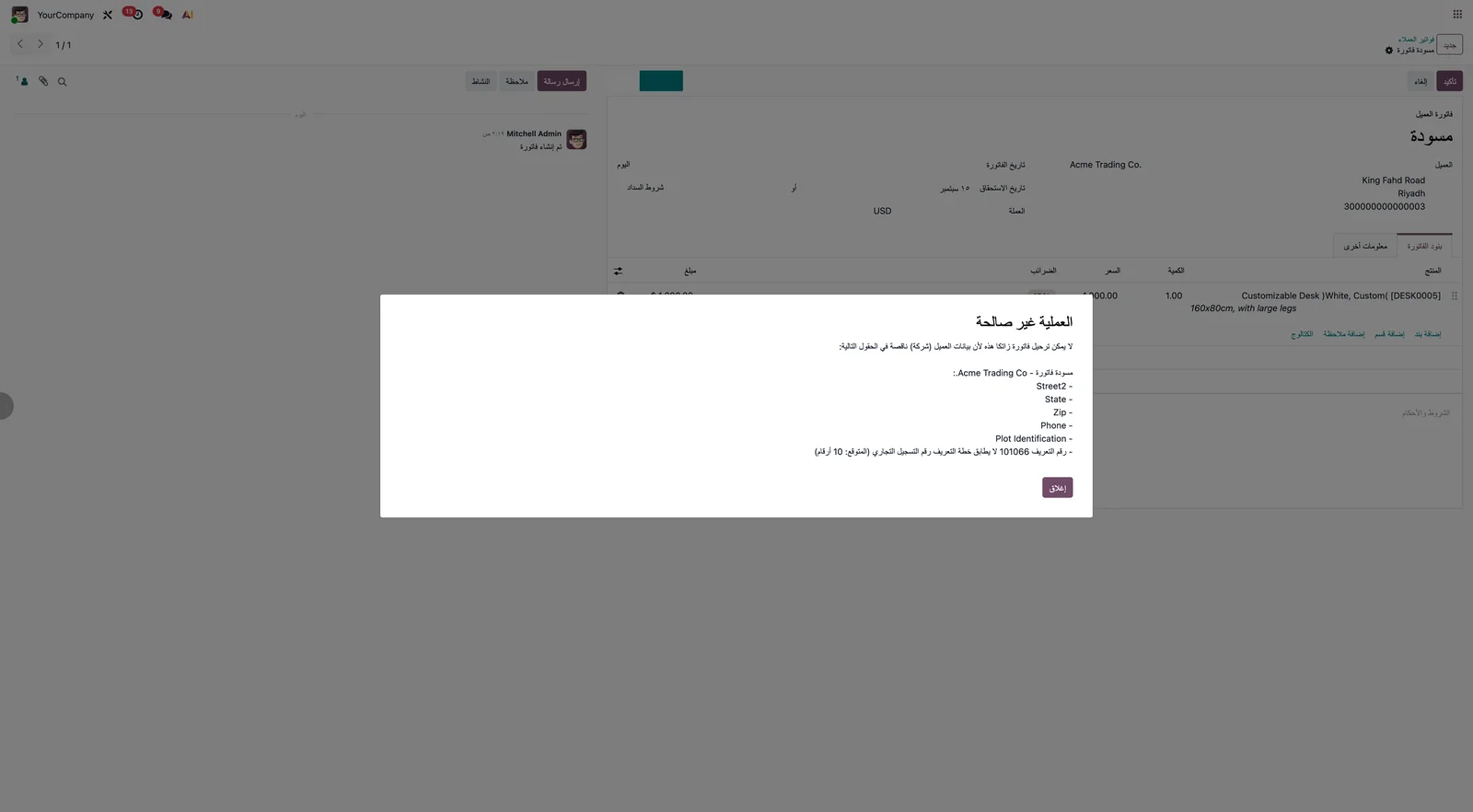
The blocking message is translated; field names follow the user's language.
-
No settings
Install and it works. Uninstall and posting behaves as standard.
What happens on Confirm
- The invoice belongs to a ZATCA-enabled journal and the customer is a company.
- Missing fields and scheme/number mismatches are collected for the commercial partner.
- If anything is wrong, a blocking message lists it per invoice; otherwise the invoice posts as usual.
Screenshots
Questions
Does it change the ZATCA submission?
No. It only prevents posting when the data would be rejected; the standard l10n_sa_edi flow is untouched.
What about individuals?
Non-company customers are not checked, as ZATCA does not require their full address.
Can I change the required fields?
The list matches ZATCA's buyer requirements for B2B invoices. Contact support if you need a different set.
Support
Questions before buying, a bug, or an idea for the next version? Email me — bug fixes for Odoo 19.0 are included.
More Odoo apps
All apps $1
$1 Accounting
General Ledger: Opening, Period Total & Closing per Account
Initial balance, period movements, period total and closing balance under every account
Odoo 19.0 · Enterprise View on Odoo Apps Store $29
$29 Productivity / Sign
Sign: One-click Company Stamp
Company stamp field for Odoo Sign; authorized users stamp documents with one click, without the Odoo Sign frame
Odoo 19.0 · Enterprise View on Odoo Apps Store $19
$19 Inventory
Restrict Users to Warehouses (Inventory & Sales)
Allowed warehouses per user; restricted users only see and validate transfers, moves, quantities and sales orders of those warehouses
Odoo 19.0 · Community & Enterprise View on Odoo Apps Store