 Inventory
 Restrict Users to Warehouses (Inventory & Sales)
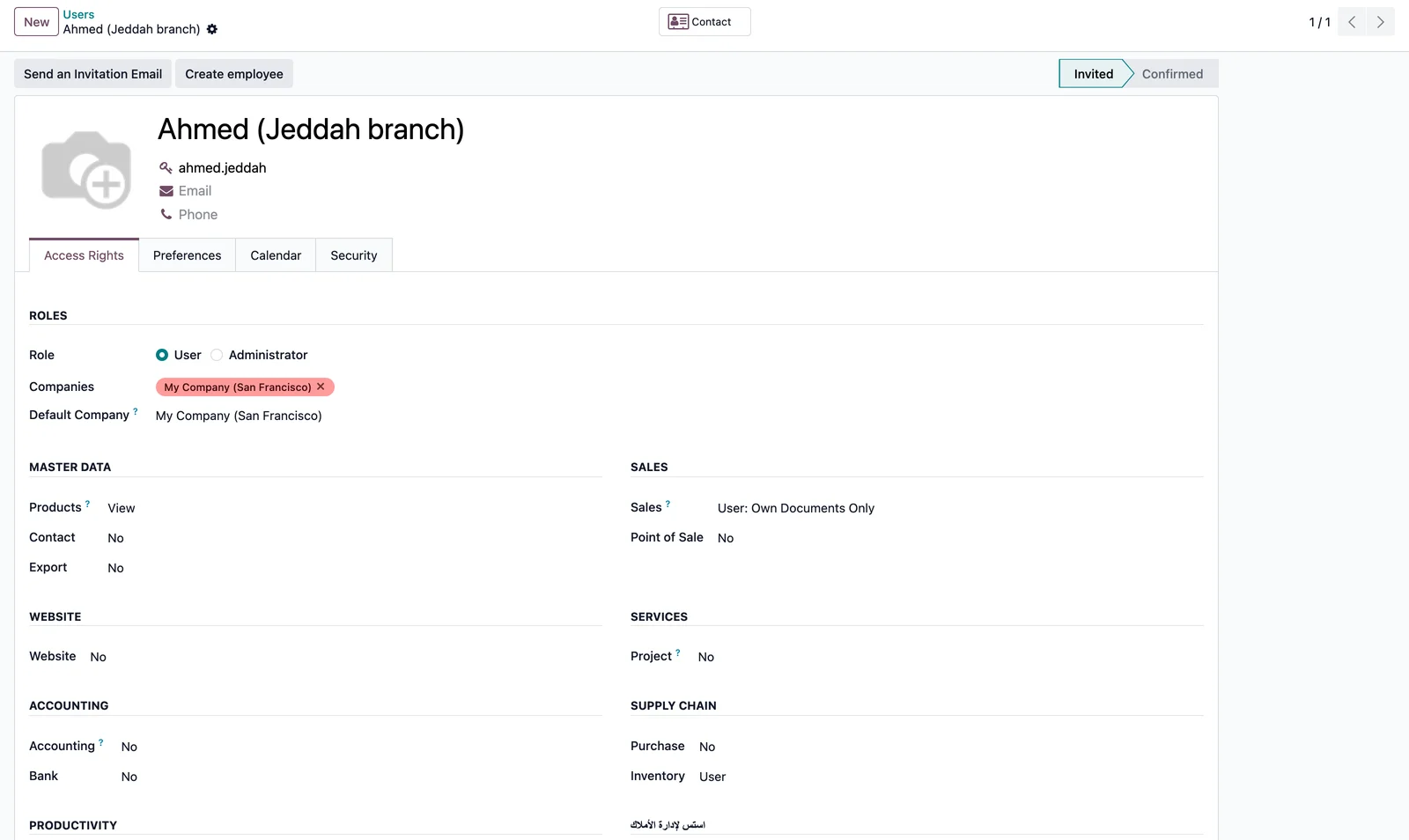
Give each user a list of Allowed Warehouses. Restricted users only see transfers, stock moves, quantities and sales orders of those warehouses, and cannot validate a receipt or internal transfer into another one. Branch separation without multi-company.
Odoo 19 app by Mina Adel, software engineer and Odoo developer
The problem
Branch staff see every warehouse's transfers and stock, validate the wrong receipts, and multi-company is far too heavy a fix for one legal entity.
The solution
A warehouse list per user and a group that switches on record rules for transfers, moves, move lines, quants and sales orders, plus a hard check on validation.
What you get
-
Allowed warehouses per user
A simple many-to-many on the user, under Access Rights.
-
Group-based
Only members of 'Restricted to allowed warehouses' are filtered; managers keep full access.
-
Inventory scope
Transfers, stock moves, move lines and quantities limited to the allowed warehouses.
-
Sales scope
Sales orders of the allowed warehouses, plus the user's own orders.
-
Validation guard
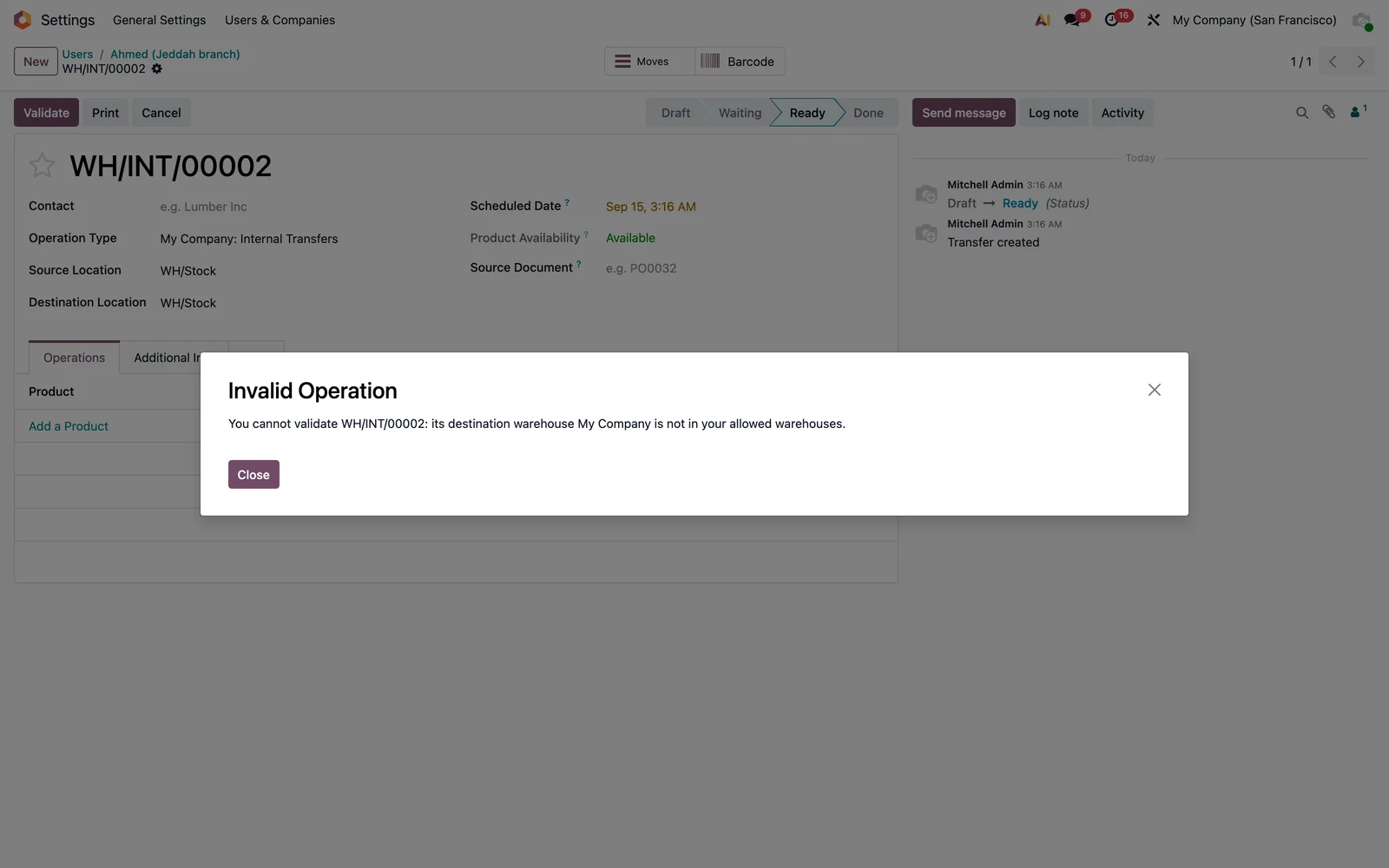
Receipts and internal transfers into a non-allowed warehouse are refused with a clear message.
-
Standard mechanics
Plain ir.rule records; combine freely with multi-company and Odoo's own rules.
Set up in two steps
- Settings → Users → Access Rights: choose the Allowed Warehouses.
- Tick Restricted to allowed warehouses in the Inventory section.
- Log in as that user: lists and validations follow the restriction.
Screenshots

Questions
Does it replace multi-company?
No. It is for one company with several warehouses or branches. It combines with multi-company rules if you use both.
What about Point of Sale?
Not covered by this version; POS sessions follow their own configuration.
Can a restricted user still see deliveries assigned to them?
Yes: transfers assigned to the user stay visible whatever the warehouse.
Support
Questions before buying, a bug, or an idea for the next version? Email me — bug fixes for Odoo 19.0 are included.
More Odoo apps
All apps $9
$9 Inventory
Product Price Labels to Excel (Saudi Riyal symbol)
'Excel Label (SAR)' format in the product label wizard: ready-to-print .xlsx with reference, name, VAT-inclusive price in the Saudi Riyal font
Odoo 19.0 · Community & Enterprise View on Odoo Apps Store $1
$1 Accounting
General Ledger: Opening, Period Total & Closing per Account
Initial balance, period movements, period total and closing balance under every account
Odoo 19.0 · Enterprise View on Odoo Apps Store $15
$15 Accounting / Localizations / EDI
ZATCA: Validate Customer Data Before Posting
Block posting a ZATCA e-invoice for a company customer whose address, VAT or identification data is missing or malformed
Odoo 19.0 · Enterprise View on Odoo Apps Store