 Sales / Purchase
 Discount Amount on Sale & Purchase Lines
Type the discount as money on sale and purchase order lines and let the percentage follow, or spread one total discount over all lines with the Distribute Discount wizard. Everything lands in Odoo's own discount field.
Odoo 19 app by Mina Adel, software engineer and Odoo developer
The problem
Customers and suppliers negotiate amounts, Odoo wants percentages. Sales staff reach for calculators, and a 'give them 500 off' request becomes a mess of rounded lines.
The solution
A Discount Amount column synchronised with the percentage on every line, and a wizard that turns one total into the exact percentage for all lines.
What you get
-
Amount per line
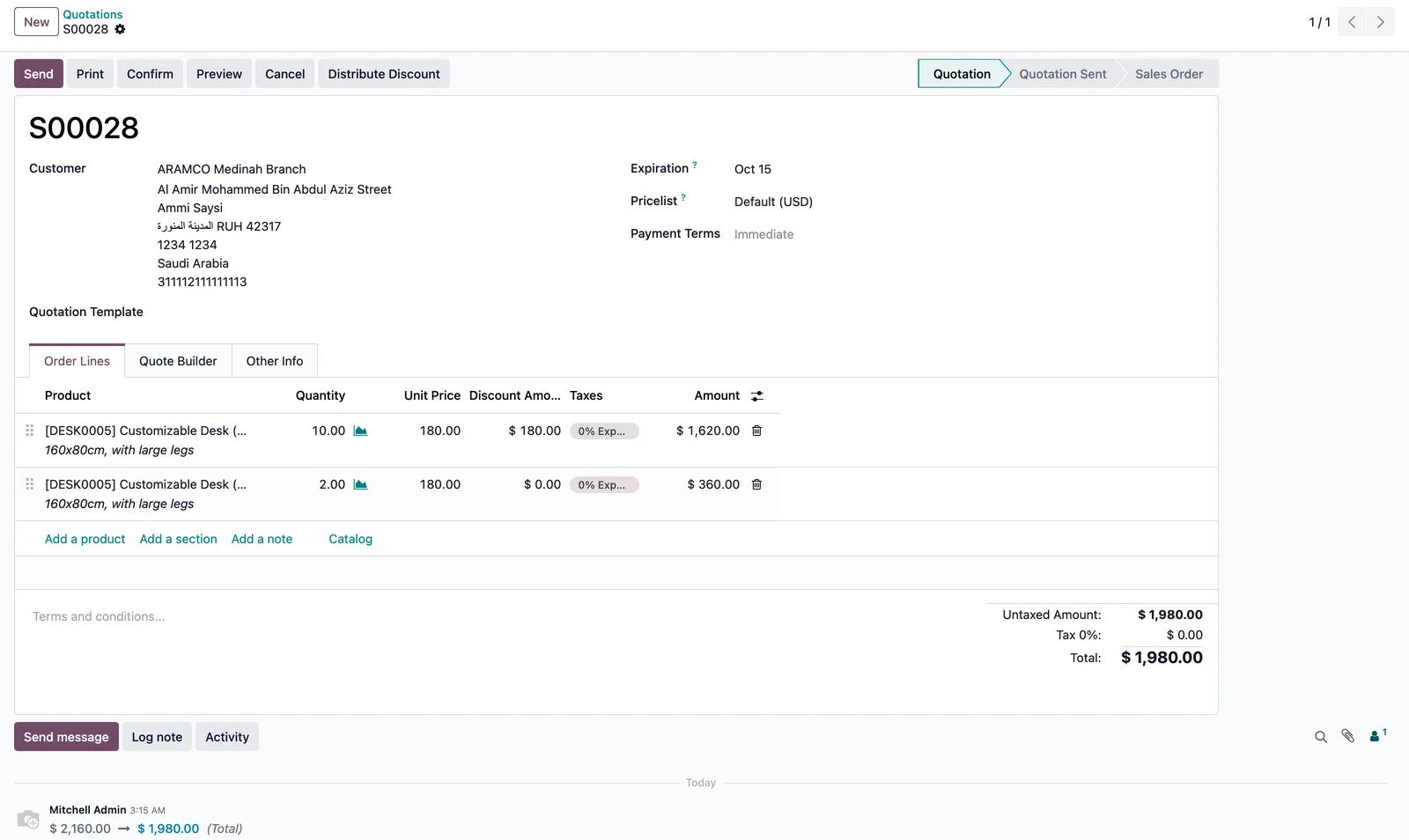
Sale and purchase order lines get a Discount Amount column; edit either the amount or the percentage.
-
Distribute a total
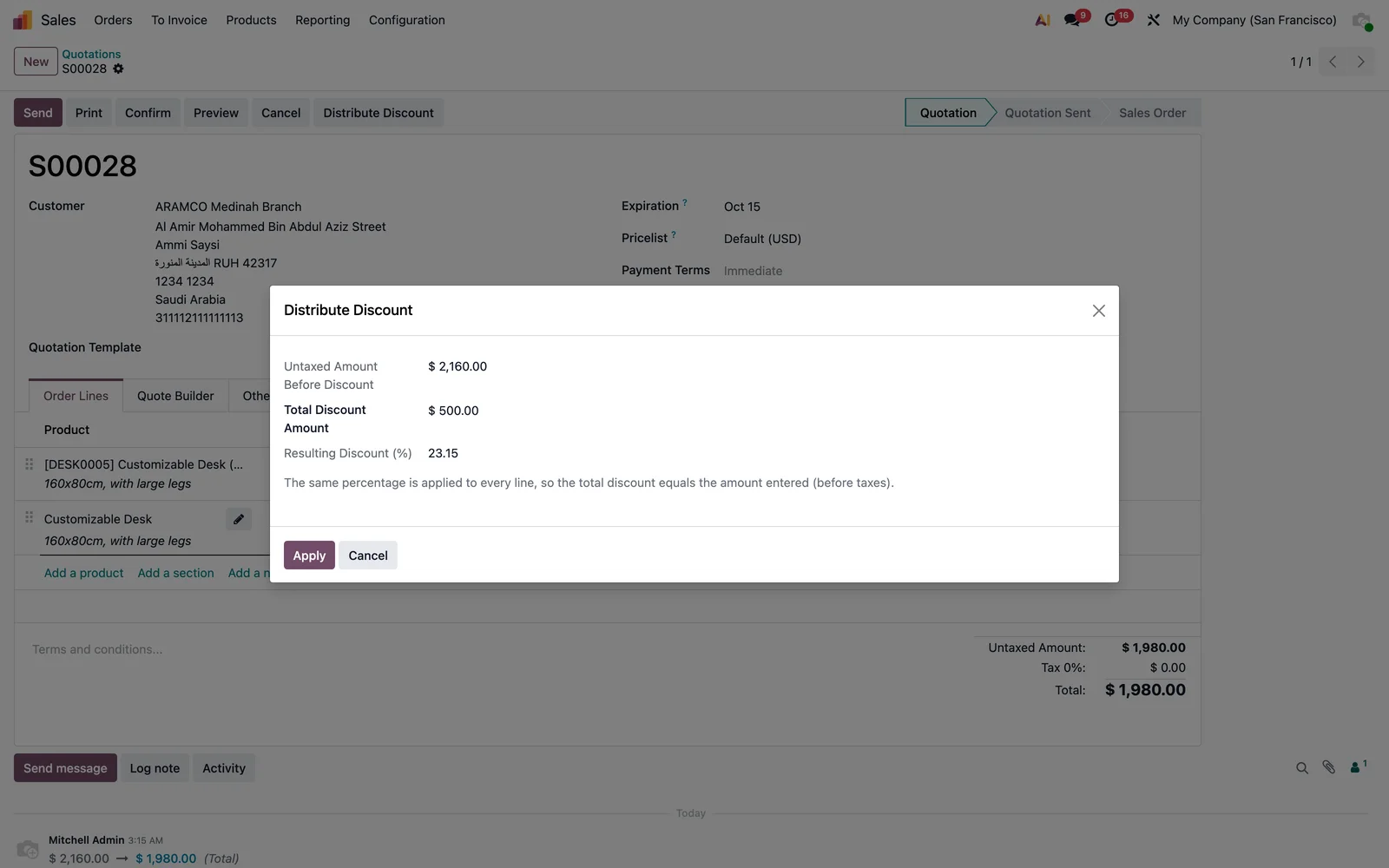
One button on the order header, one amount, and every line gets the same percentage.
-
Purchase too
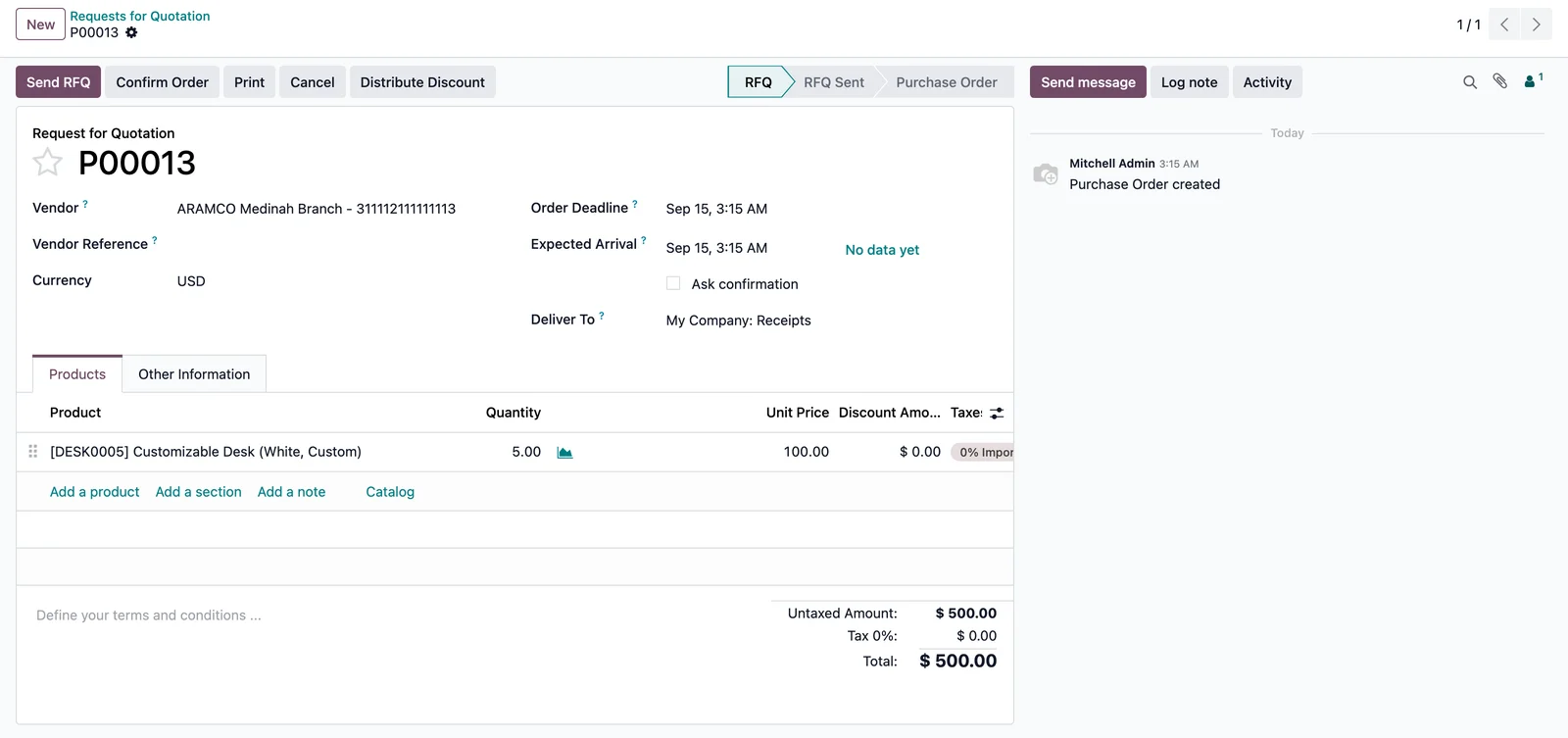
The same column and wizard on purchase orders.
-
Standard discount field
Totals, taxes, invoices, reports and pricelists stay exactly as Odoo computes them.
-
Safe edits
Invoiced lines stay read-only; percentages are capped between 0 and 100.
-
No settings
Install and the column is there, optional in the list view.
Two ways to discount
- Per line: type the amount in Discount Amount; the percentage updates.
- Whole order: Distribute Discount in the header, enter the total, Apply.
- Confirm the order as usual; invoices carry the standard discount.
Screenshots
Questions
Is the amount before or after taxes?
Before taxes, like Odoo's percentage discount.
What happens on invoices?
Nothing new: the line discount percentage is copied by Odoo as always.
Does it conflict with Odoo's own Discount wizard on sales?
No. Both write the standard discount field; use whichever fits.
Support
Questions before buying, a bug, or an idea for the next version? Email me — bug fixes for Odoo 19.0 are included.
More Odoo apps
All apps $15
$15 Sales / Point of Sale
Minimum Selling Price: Sales & POS Guard
Minimum selling price per product; Sales blocks lower lines and the POS numpad refuses a lower price
Odoo 19.0 · Community & Enterprise View on Odoo Apps Store $9
$9 Sales
On-hand Quantity on Sale Order Lines & Catalog
Stock of the order's warehouse and total across warehouses on every sale order line and in the product catalog
Odoo 19.0 · Community & Enterprise View on Odoo Apps Store $1
$1 Accounting
General Ledger: Opening, Period Total & Closing per Account
Initial balance, period movements, period total and closing balance under every account
Odoo 19.0 · Enterprise View on Odoo Apps Store