 Sales / Point of Sale
 Minimum Selling Price: Sales & POS Guard
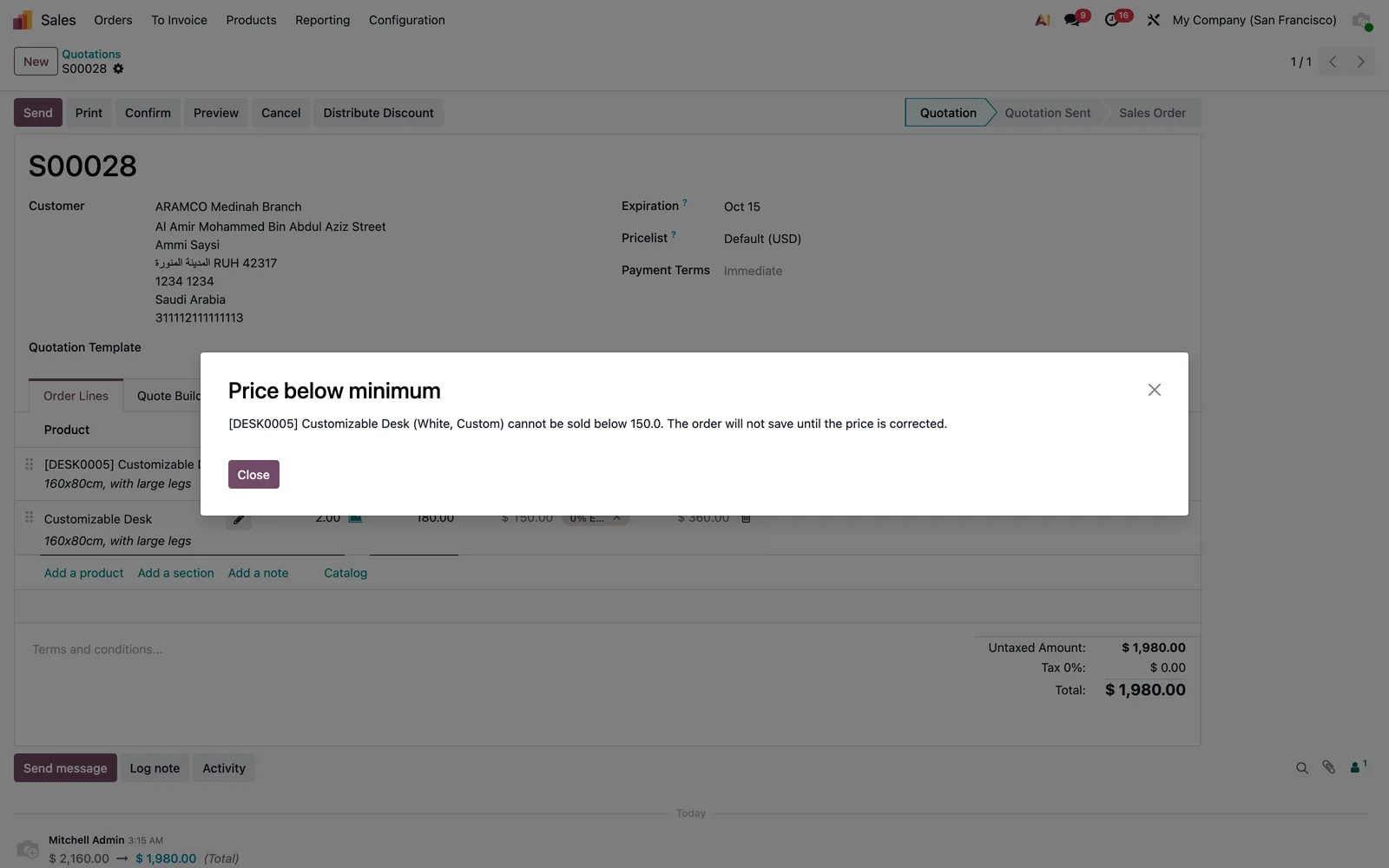
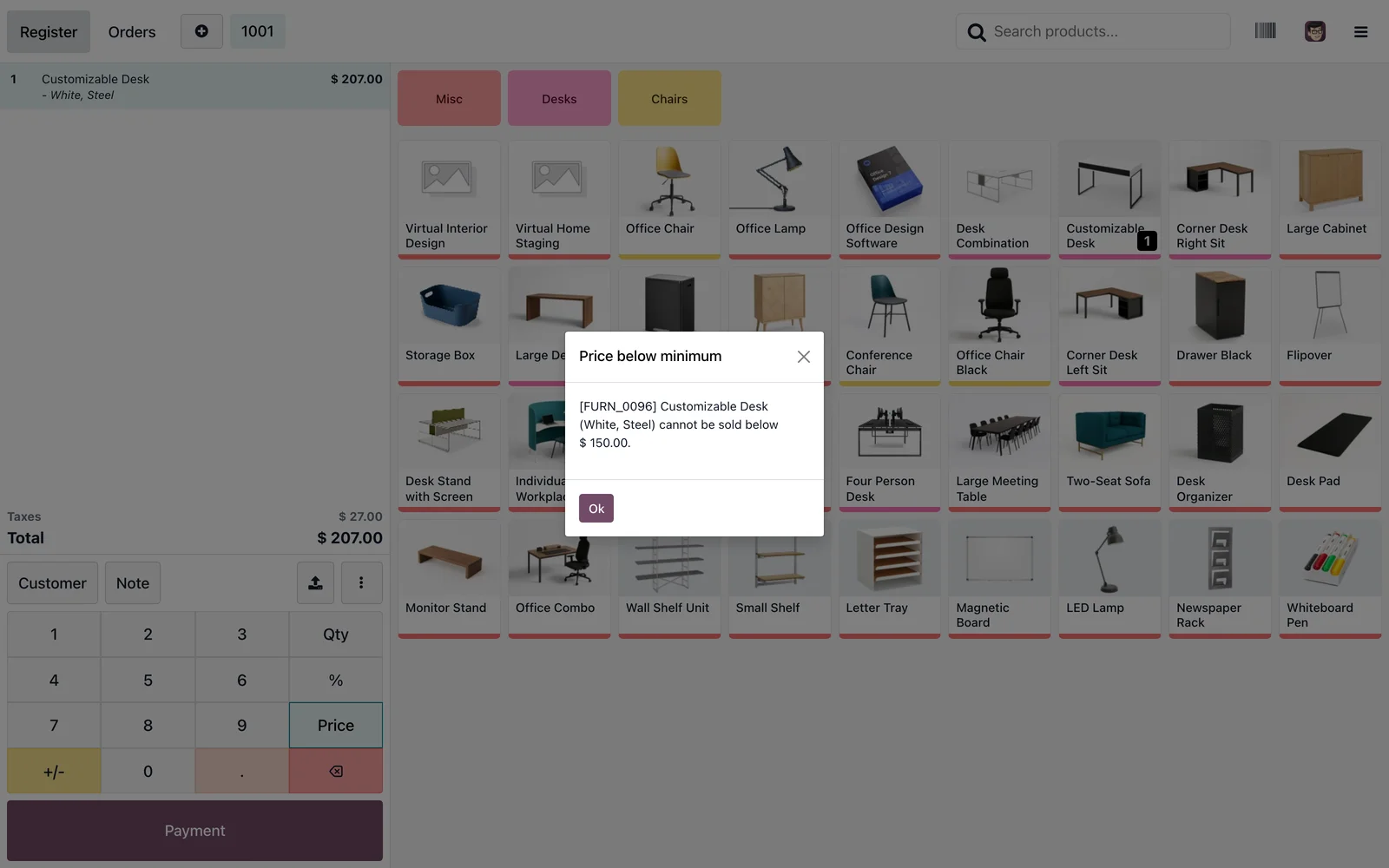
Set a Minimum Price on each product. Sales orders refuse a lower unit price, and the Point of Sale numpad will not accept one either. No configuration, no exceptions slipping through.
Odoo 19 app by Mina Adel, software engineer and Odoo developer
The problem
Discounts negotiated on the floor or typed on the POS numpad end below cost, and nobody notices until the margin report.
The solution
One field on the product, enforced in both channels: the sale order line blocks on save, the POS blocks on the numpad, and the product info banner shows the floor price to the cashier.
What you get
-
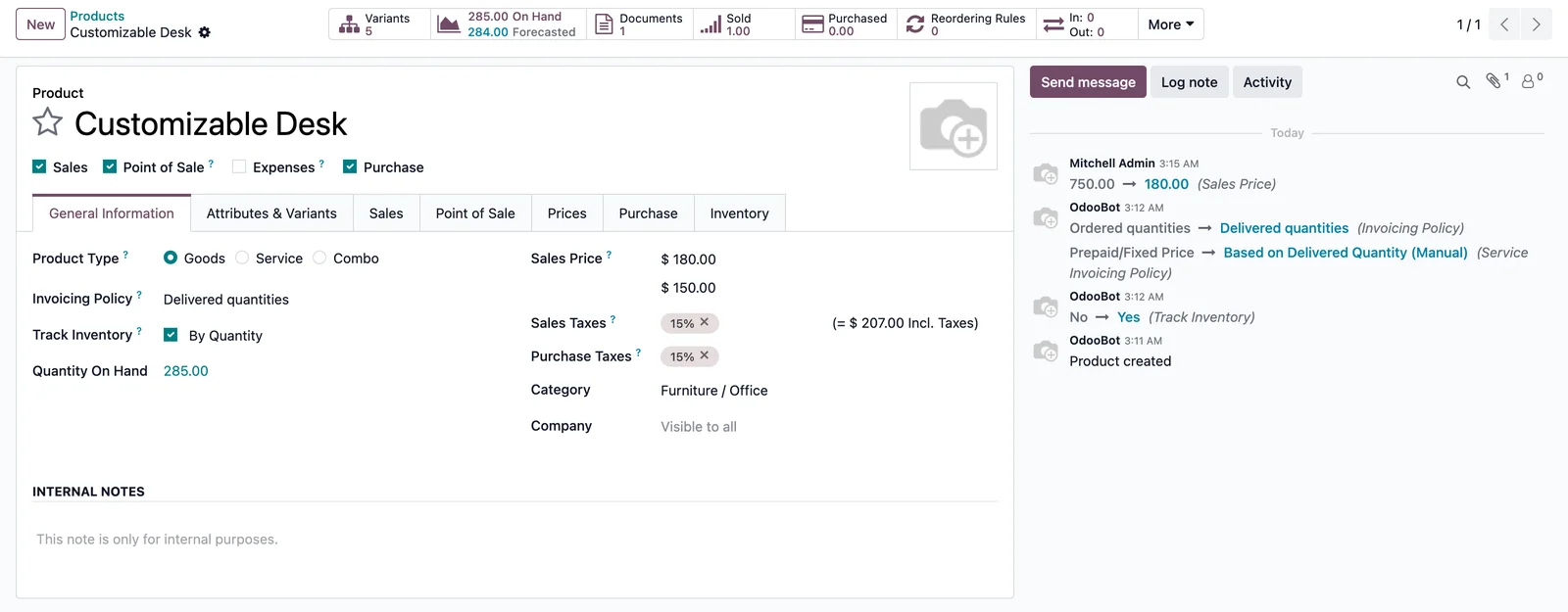
Minimum Price on products
Template and variant, in the company currency, visible in product lists as an optional column.
-
Sales order guard
Warning while typing, hard block on save with product, price and minimum in the message.
-
Point of Sale guard
The numpad in Price mode refuses values under the minimum with a clear dialog.
-
Product info banner
The POS product information shows the minimum next to stock and price.
-
Arabic included
All messages translated; RTL handled by Odoo.
-
Install and forget
Zero means no minimum. Uninstall restores standard behaviour.
Set it up in one step
- Open a product and fill Minimum Price.
- Sell it in a quotation or at the POS: any lower unit price is refused.
- Leave the field at 0 for products without a floor.
Screenshots
Questions
Does it block pricelist prices?
No. The guard targets manual unit prices; pricelist rules apply normally.
Community or Enterprise?
Both, Odoo 19.0. Requires the Sales and Point of Sale apps.
Can a manager override?
Not in this version. Raise the product's minimum or set it to 0; contact support if you need a bypass group.
Support
Questions before buying, a bug, or an idea for the next version? Email me — bug fixes for Odoo 19.0 are included.
More Odoo apps
All apps $15
$15 Sales / Purchase
Discount Amount on Sale & Purchase Lines
Discount as an amount on sale and purchase lines, plus a wizard to spread a total discount over all lines
Odoo 19.0 · Community & Enterprise View on Odoo Apps Store $9
$9 Sales
On-hand Quantity on Sale Order Lines & Catalog
Stock of the order's warehouse and total across warehouses on every sale order line and in the product catalog
Odoo 19.0 · Community & Enterprise View on Odoo Apps Store $1
$1 Accounting
General Ledger: Opening, Period Total & Closing per Account
Initial balance, period movements, period total and closing balance under every account
Odoo 19.0 · Enterprise View on Odoo Apps Store